← A Percoissa product · percoissa.comTimeStudio 27.4.4 · Patents Pending
Percoissa TimeStudio
TimeStudio 27

TimeStudio 27.4.4

Master plan your most valuable resource – Time

Plan your work.
See your life.

A calendar-first planner that keeps work, personal time and projects on separate TimePlanes — and tells you about conflicts before you commit, not after.

Works in Edge, Chrome, Opera, Firefox and Safari — desktop, tablet and phone. English, Español and Português (Brasil).

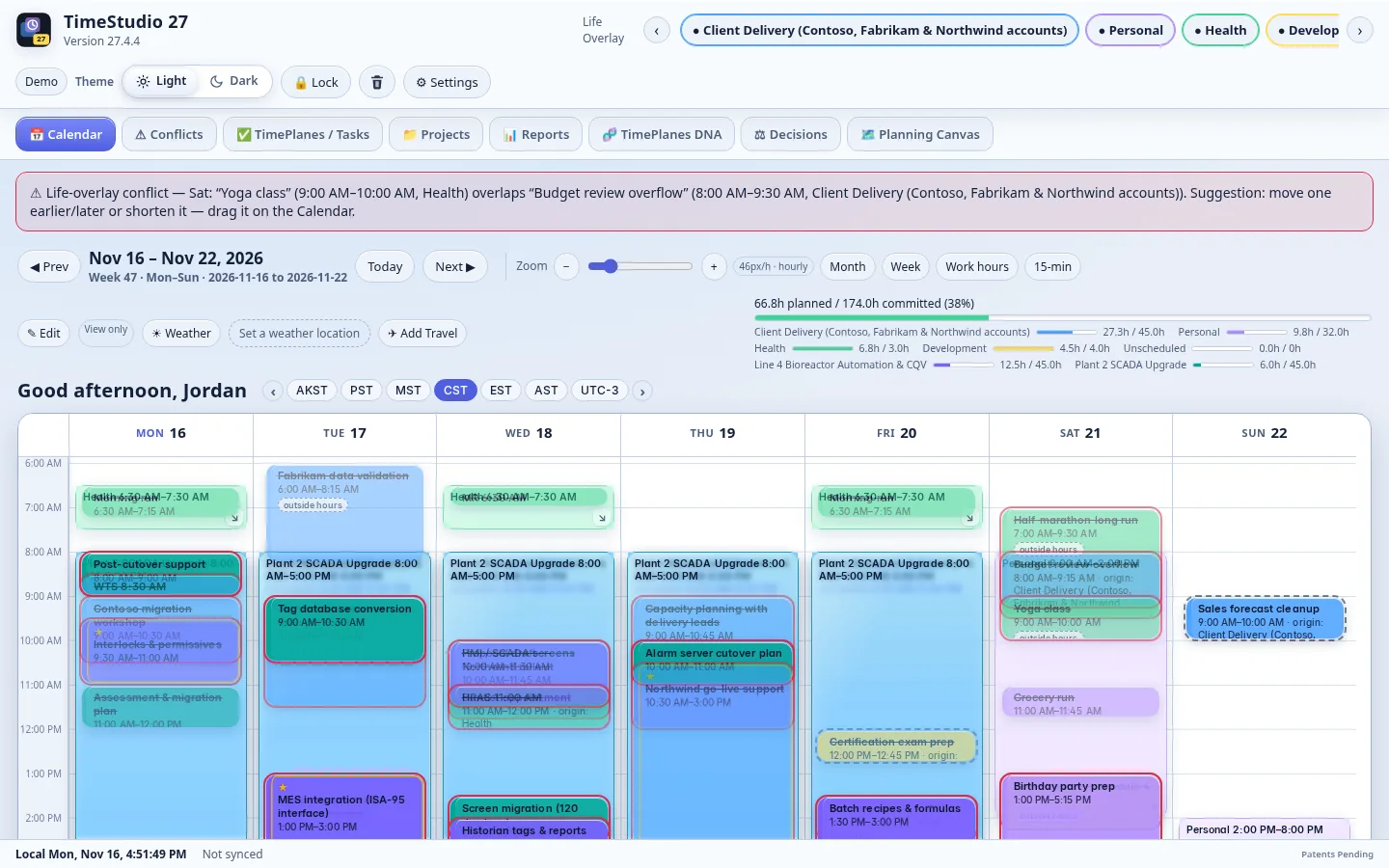
Calendar week with TimePlanes glass
The calendar-first week: each TimePlane shows its glass only during the hours it is committed.

// Features

Everything about your time, in one place

01

TimePlanes

Work, family, health, each project — every commitment lives on its own TimePlane. Planes are layered over one calendar but never merged, so you can see everything together or focus on one plane in a click. A plane's glass appears only during the hours it is actually committed.

  • Calendar-first week view with drag-and-drop
  • Planned vs committed at the top of every week
  • Calendar import from ICS/iCal links and files — read-only, nothing is written back
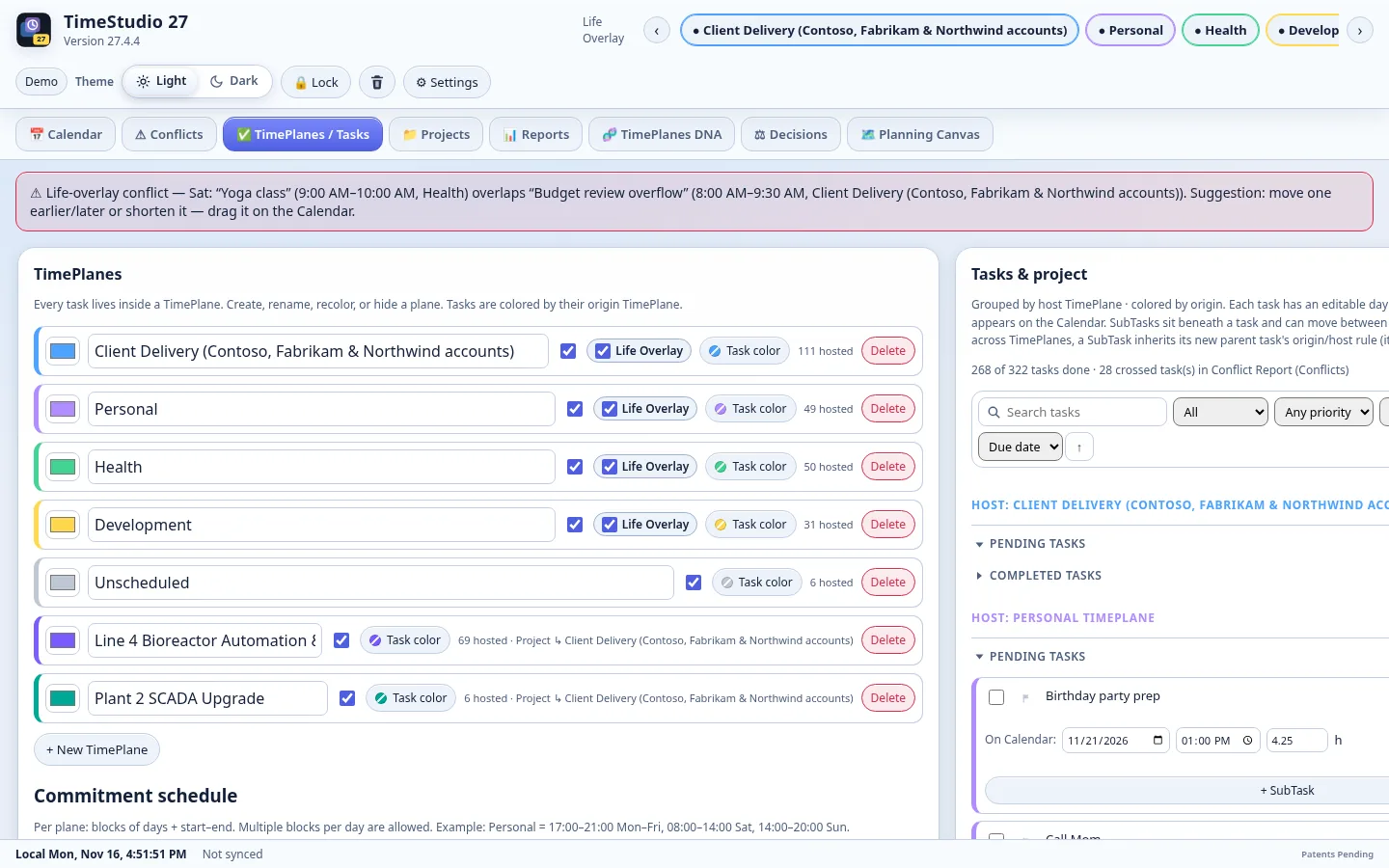
TimePlanes
Work, personal and project planes kept separate, never merged — hide or show any of them in one click.
02

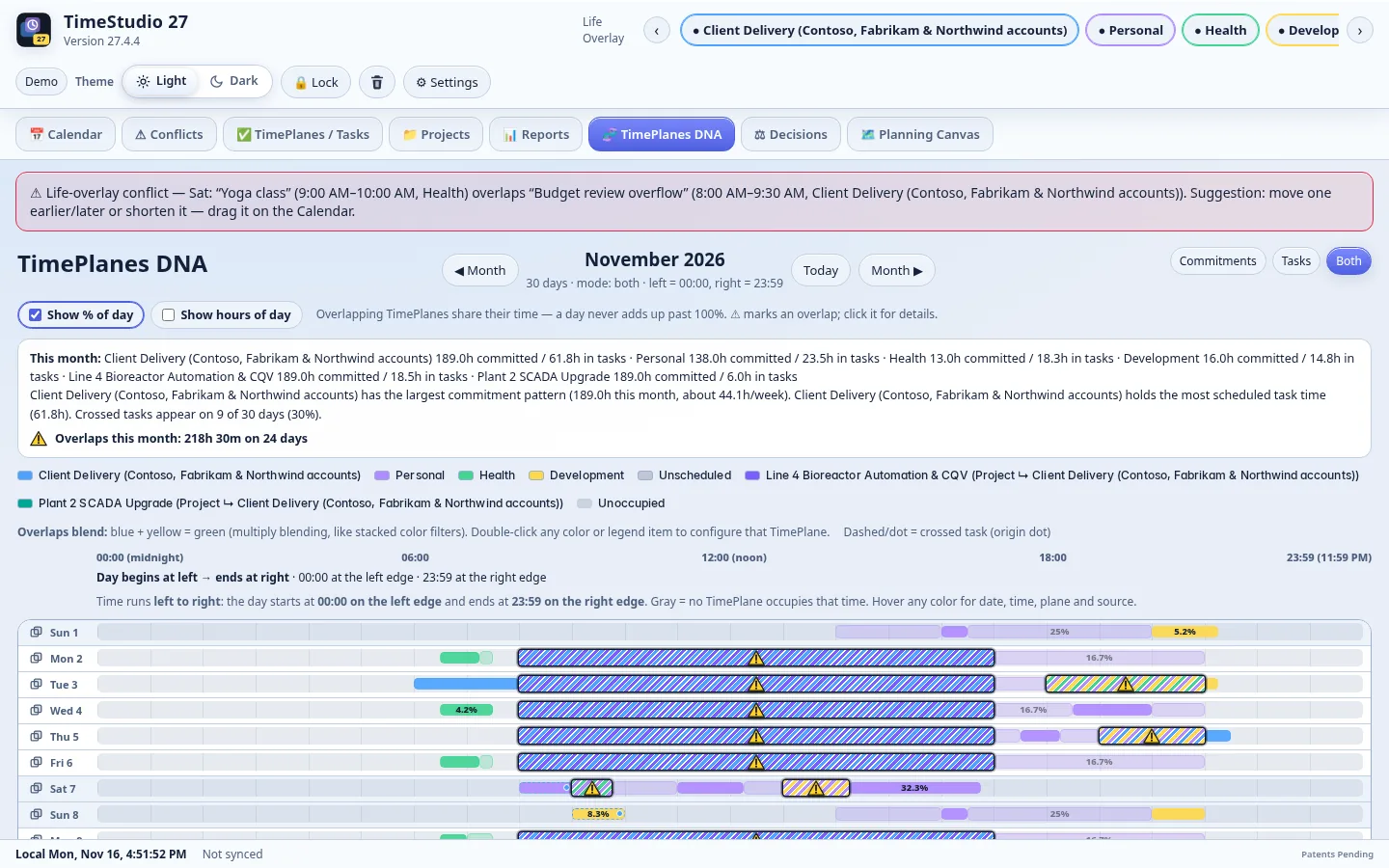
TimePlanes DNA

TimePlanes DNA lays a whole week out as a single strand of committed, free and contested time, so the shape of your week — and where it is about to break — is readable at a glance.

  • Spot overload and fragmentation instantly
  • Resource DNA shows the same view for the people on your projects
TimePlanes DNA
TimePlanes DNA turns a whole week into one strand you can read at a glance.
03

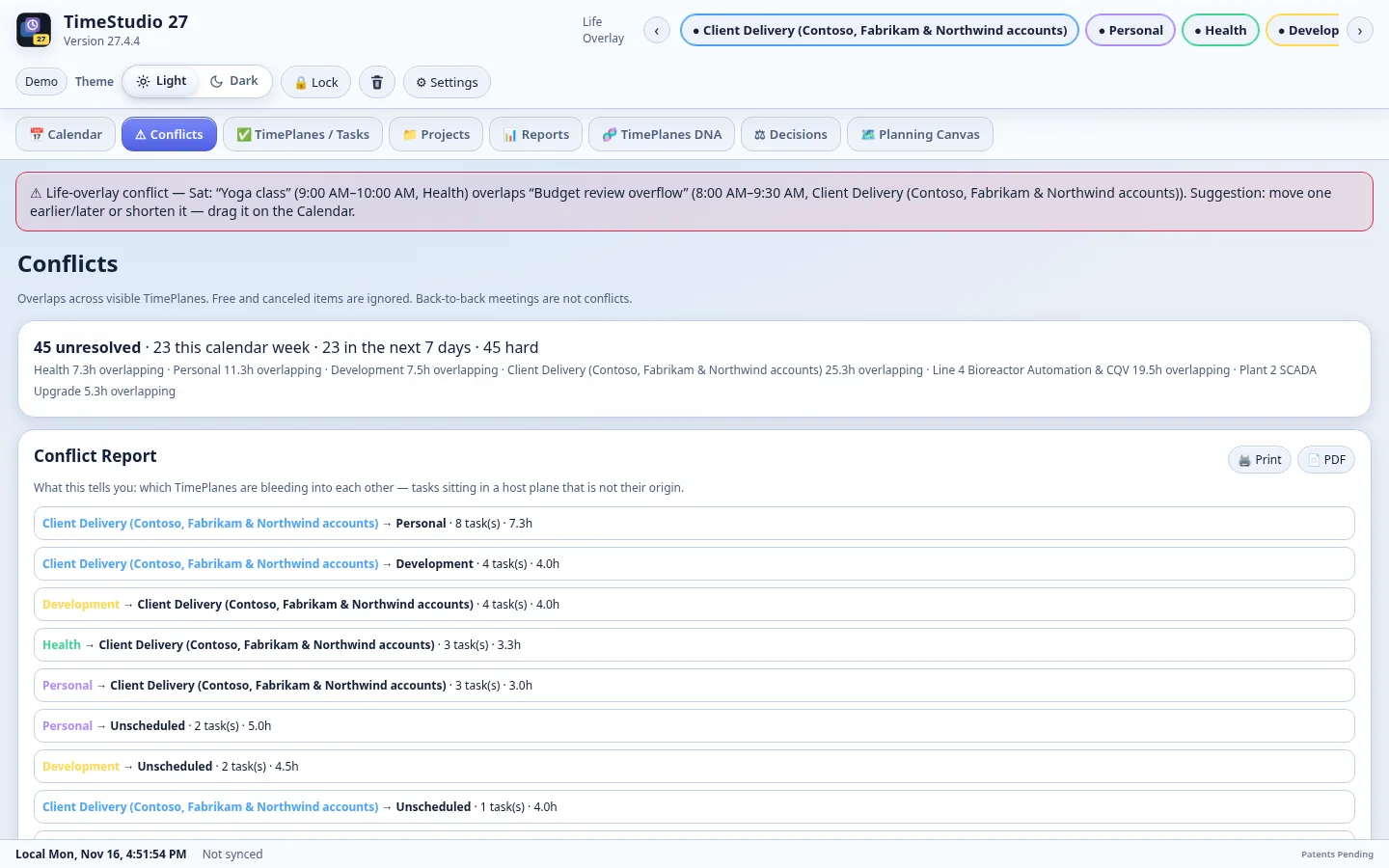
Conflicts and PCommand

TimeStudio watches for collisions and overload across all your planes. Select a conflict and PCommand proposes ranked fixes — reschedule, push or delegate — each with a preview you can apply or undo. An Eisenhower Matrix helps you sort the day or week by what really matters.

  • Conflict and Interference reports
  • Apply / Undo for every fix
  • ★ Important markers that carry into your briefs
Conflicts with PCommand
Conflicts are found before you commit. PCommand ranks reschedule, push and delegate fixes with a preview.
04

Projects, resources and costing

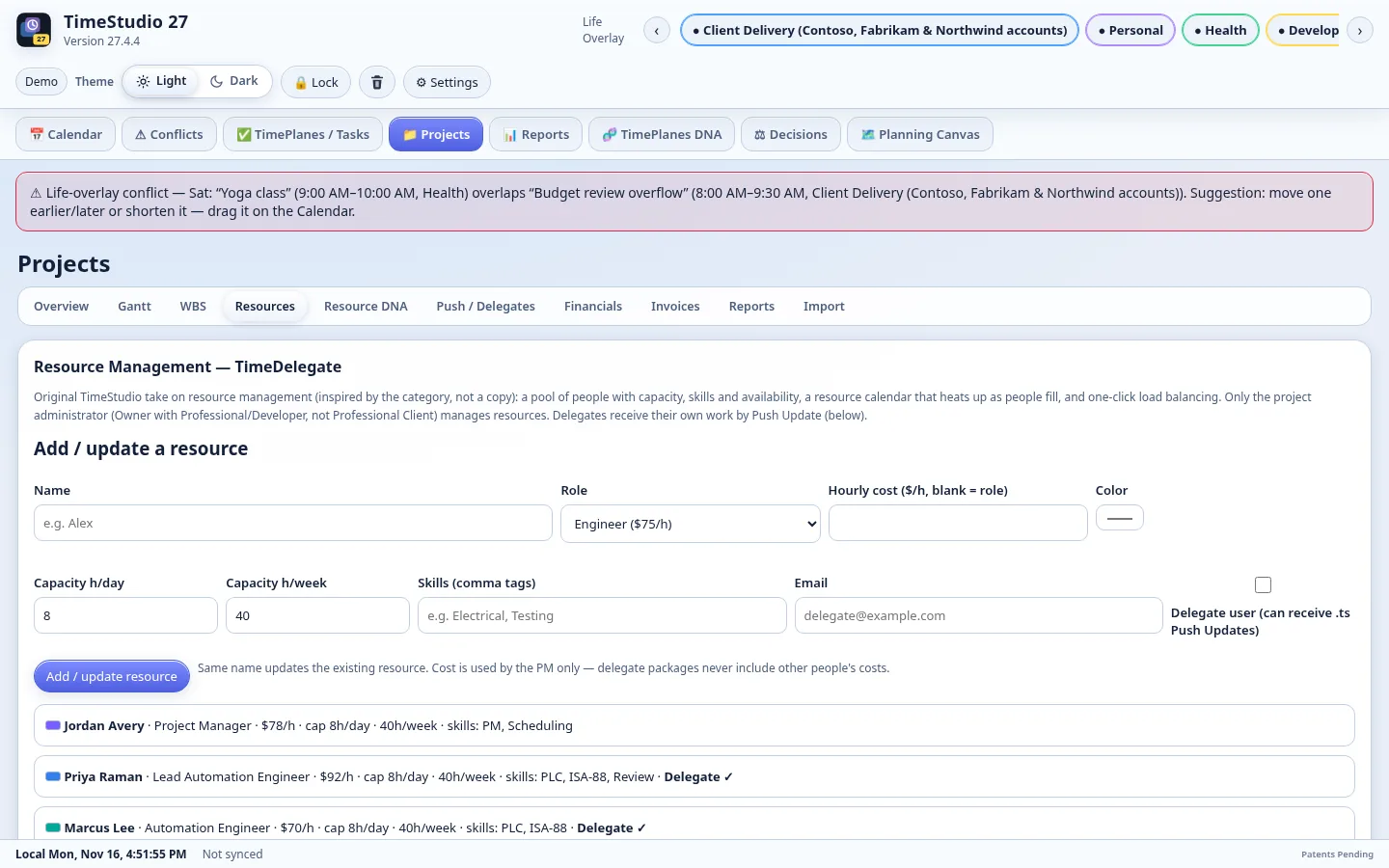
Projects bring tasks, milestones, resources and capacity together. The Resource Management calendar shows who is over capacity, Balance load suggests moves, and TimeDelegate sends project updates to your Professional Client users through the server.

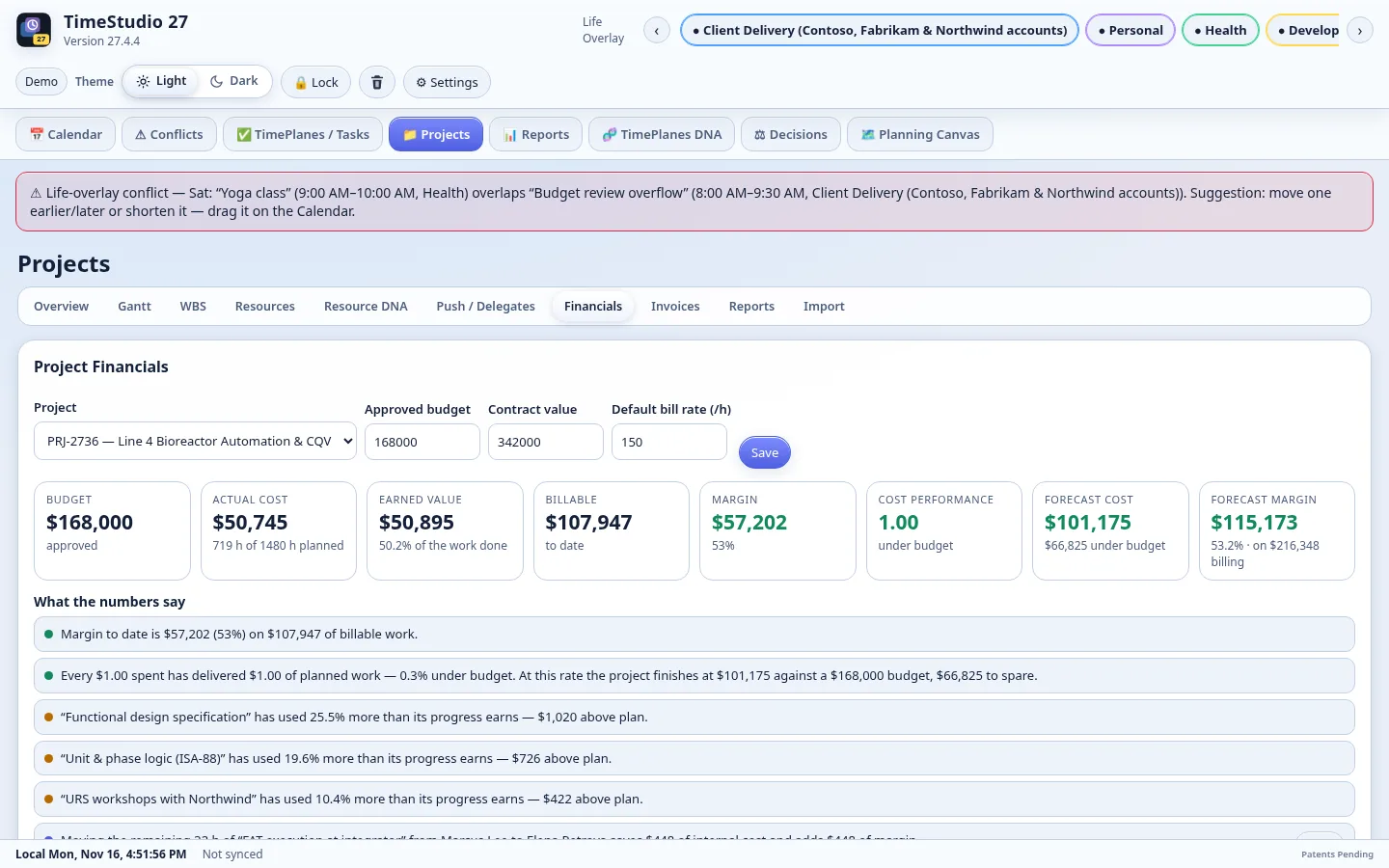
  • Budget vs actual, earned value, margin and forecast
  • Internal and bill rates; one-page invoices
  • Internal Cost, Billable Amount and Budget-vs-Actual reports
Project financials
Budget vs actual, earned value, margin and forecast — with one-page invoices.
05

Daily Brief and 3-Day Brief

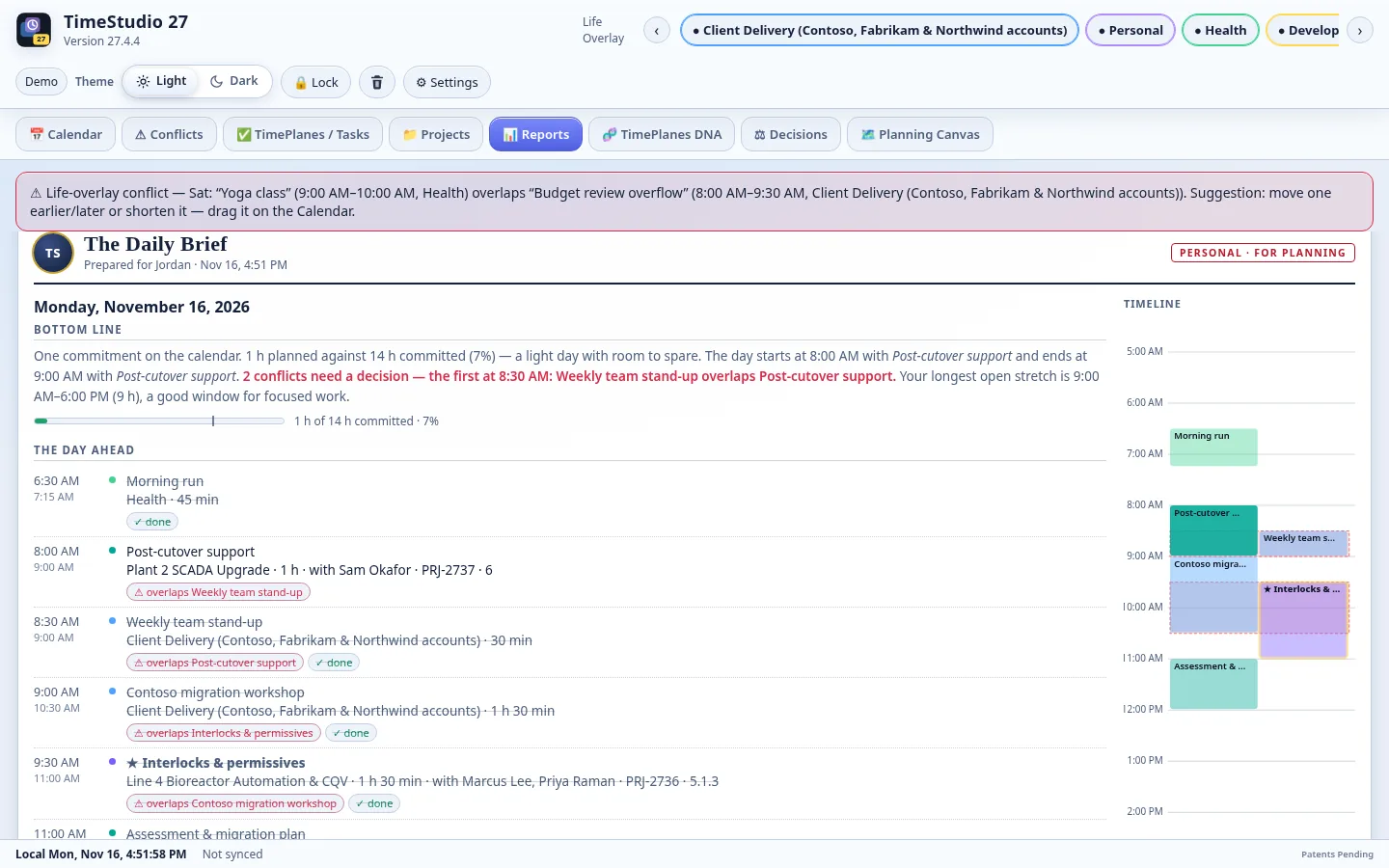
Start the day with one page: what is scheduled, what is important, what is at risk, with a timeline column. Print it or save it as PDF straight from your browser.

  • Week at a Glance, Capacity & Overload, Busiest Day and more reports
  • Light and dark themes
Daily Brief
The Daily Brief and 3-Day Brief put what matters today on one printable page.
06

Your data, protected

Your workspace is stored on our server encrypted at rest and is reachable only through your signed-in session, over HTTPS. Changes save automatically — you will see the red Saved confirmation — and keep working through short connection drops.

  • Secure sign-in with lockout protection
  • Export and import your data any time
Projects and resources
Projects with tasks, resources, capacity and a Resource Management calendar.

// Pricing

Editions

Standard

$2.99/month

  • Calendar, TimePlanes and TimePlanes DNA
  • Conflicts, PCommand and Eisenhower Matrix
  • Daily and 3-Day Briefs and all personal reports
  • ICS calendar import, weather, print and PDF

Professional Client

$1.99/month per user over 3

  • For the people you delegate project work to
  • Receives project updates from a Professional account
  • Reports progress back to the project owner
  • First 3 seats come with Professional

No free trial — contact us for a special trial license. support@percoissa.com

// 15-minute demo

Try the demo — no sign-up

Open a 15-minute demo workspace loaded with a sample project. Explore everything; nothing you change is saved, and the session ends automatically when the timer runs out.

TimeStudio is protected by U.S. and international patents pending, copyright, and trade secret law.